Instants
quirq-ai/instantsA team collaboration prototype for sharing work and getting feedback.
Type: Project. Something quirq builds for people to use.TypeScriptUpdated Oct 13
Your agent activity, in one place.
A local visual workspace for agent activity. Import Codex or Claude conversations, or a normalized Instants timeline, and work through them as a feed. Two JSONL files hold everything: timeline.jsonl for feed data and activity.jsonl for your private progress. The original team examples remain available on a new profile. Built with React, TypeScript, and Next.js, with JSON branding, light/dark themes, and native scrolling.
Get started · Motion · Architecture · Contribute · MIT license
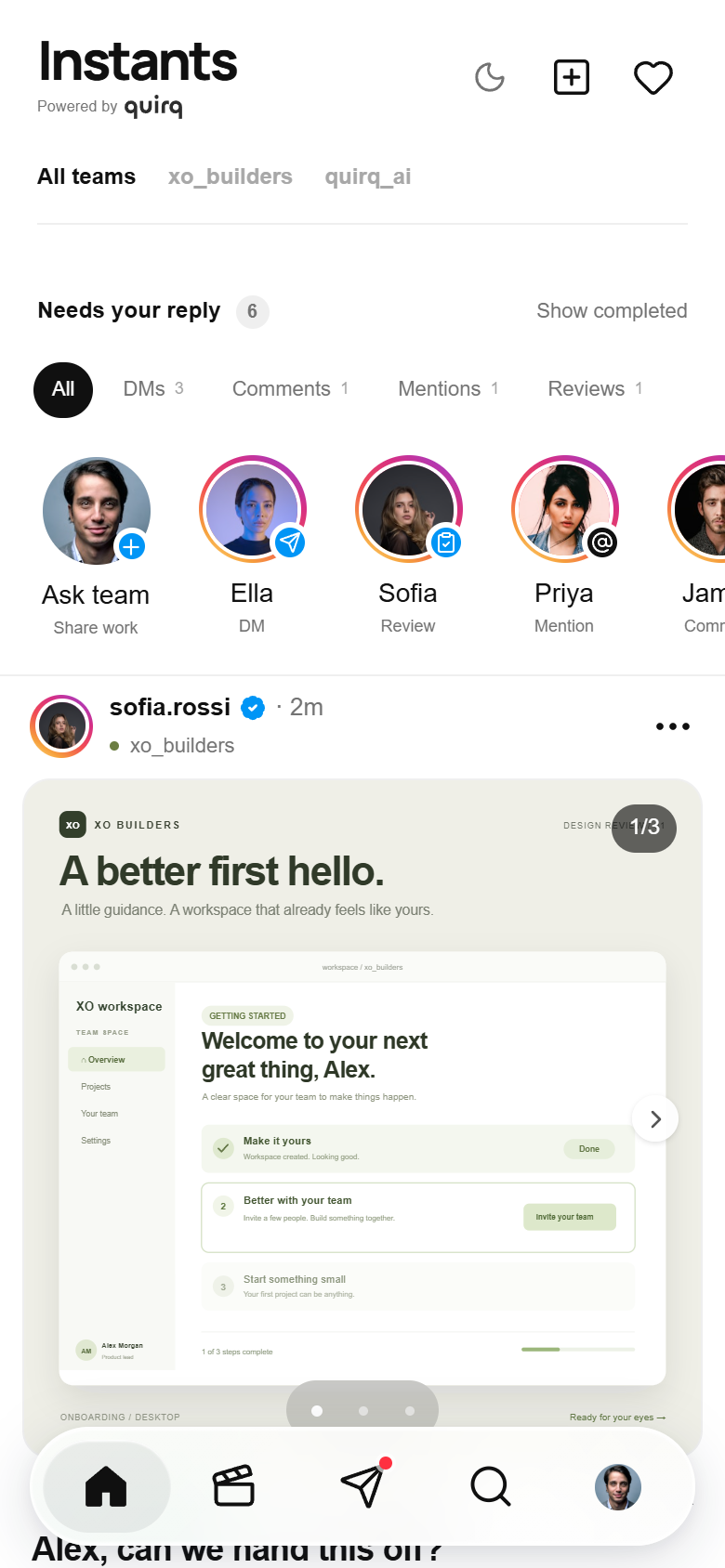
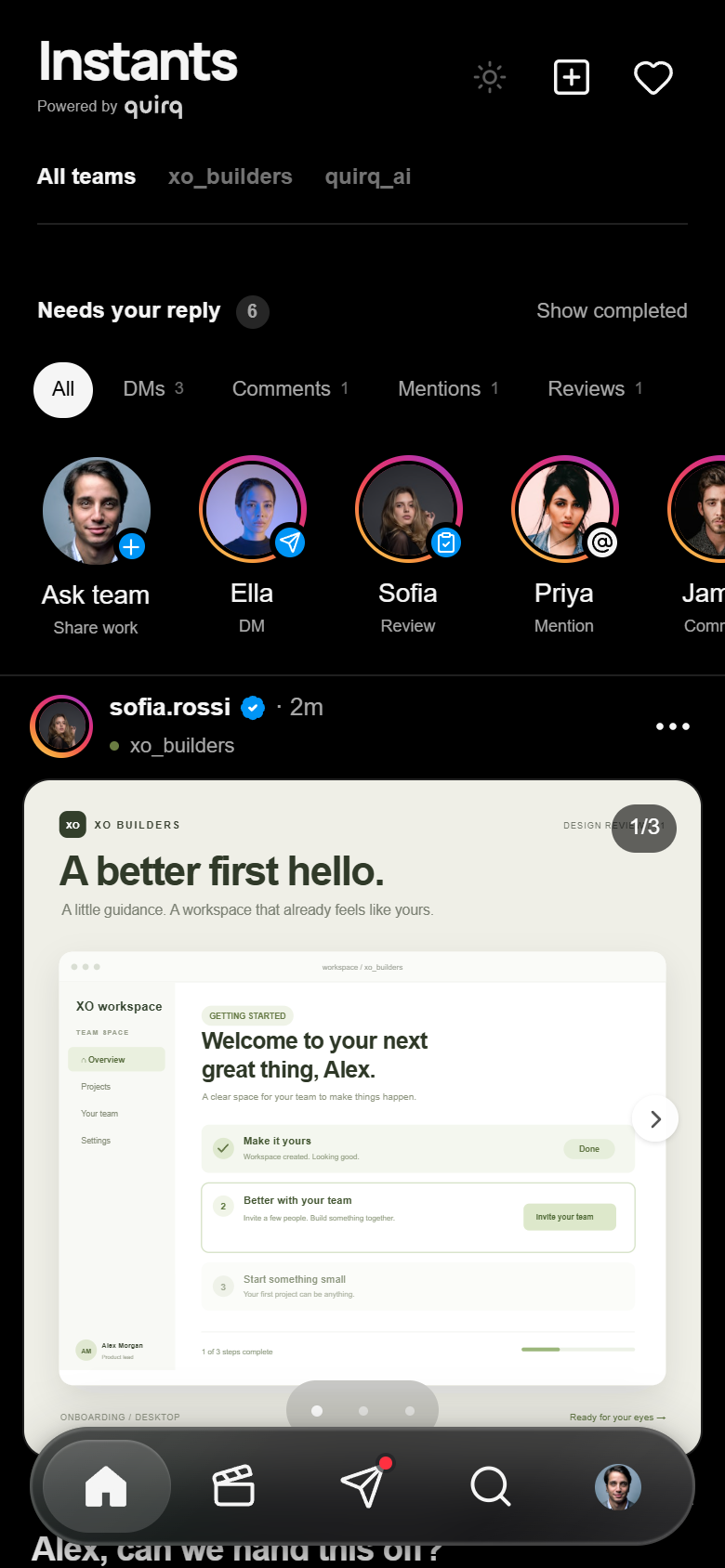
The example team feed in light and dark themes; imported activity uses the same layout.
What you can try
- Import real history: choose an Instants timeline, Codex conversation JSONL, or Claude conversation JSONL; merge it into the feed or replace the existing feed.
- Read agent activity: text cards, full detail, separate conversations, source context, searchable Explore, profiles, and optional visual previews.
- Keep private progress: opening a card records reading state; save it or add a private note. Export the timeline and activity separately.
- Review requests: the attention rail groups DMs, comments, mentions, and reviews. Read-only requests can be dismissed privately without resolving upstream work.
- Try the team examples: new profiles start with
xo_buildersandquirq_aiwork, quick responses, conversations, and local creation. - Keep the familiar UI: light/dark themes, carousels, desktop sidebar, floating mobile glass dock, and a
/motionplayground.
Imports are selected by you. Instants does not automatically scan .agents or connect to agent accounts, GitHub, or plugins. .agents is the conceptual collection of agent data, not a required folder. Imported native conversations are read-only; local/demo replies are never delivered to external applications. There is no authenticated team synchronization yet.
Run locally
Use Node.js 22.13 or newer and npm.
git clone https://github.com/quirq-ai/instants.gitcd instantsnpm cinpm run devOpen localhost:5180 for the app or localhost:5180/motion for the motion playground. No API keys or environment variables are required for the initial feed and selected-file imports.
| Command | Purpose |
|---|---|
npm run dev | Start the Next.js development server on port 5180 |
npm run lint | Check source with ESLint |
npm run typecheck | Check TypeScript without emitting files |
npm test | Run the Node unit tests |
npm run test:e2e | Run the Playwright browser tests |
npm run build | Create the Next.js production build in .next |
npm start | Serve the production build on port 5180 |
Before the first browser test run, install its browser with npx playwright install chromium. On Linux, CI may also need Playwright's system dependencies: npx playwright install --with-deps chromium.
The default development, build, and production commands use standard Next.js. The optional Sites scaffold has separate dev:sites, build:sites, and start:sites commands; it is not needed to run locally or deploy to Vercel. See architecture for that boundary.
Deploy to Vercel
Import quirq-ai/instants into Vercel with the repository root (.) as the Root Directory. The repository itself is the app; do not enter instagram-ui as a subdirectory. Use Node.js 22.x. The hosted app uses browser storage for its two logs; it cannot scan a visitor's local agent files.
The committed vercel.json defines the deployment settings:
| Setting | Value |
|---|---|
| Framework | Next.js |
| Install command | npm ci |
| Build command | npm run build |
| Output directory | .next |
Clear conflicting dashboard overrides from an earlier import, including any Vite, Vinext, dist, or Cloudflare build settings, so the project uses the checked-in configuration. Keep the Root Directory at ..
When the GitHub repository is connected to the Vercel project, a push to its production branch starts a deployment. For an existing failed deployment, deploy the latest commit after correcting the settings; rebuilding an older commit will still use its old scripts. Check the Vercel build logs to confirm the deployed revision and outcome.
Motion and gestures
The motion system is a browser-based approximation of familiar social app interactions. Native touch and wheel scrolling retain platform momentum; JavaScript does not replace the page's scroll loop.
| Interaction | Behavior |
|---|---|
| Feed | Native vertical scrolling; returning to a view restores its position |
| Repeat Home | Programmatic scroll to the top, respecting reduced motion |
| Photo carousel | Native horizontal scroll snap, touch swipe, mouse drag, buttons, and keyboard controls |
| Attention request | Swipe the header for previous/next or down to close; the conversation keeps native scrolling and visible controls |
| Press, like, navigation | Short CSS transitions and keyframes using shared durations and easing |
| Reduced motion | Suppresses decorative movement and avoids animated programmatic scrolling |
Edit config/motion.json for shared timings and gesture thresholds. docs/motion.md explains the contract, input behavior, reduced motion, and how to verify changes. Visit /motion to exercise the same building blocks outside the feed.
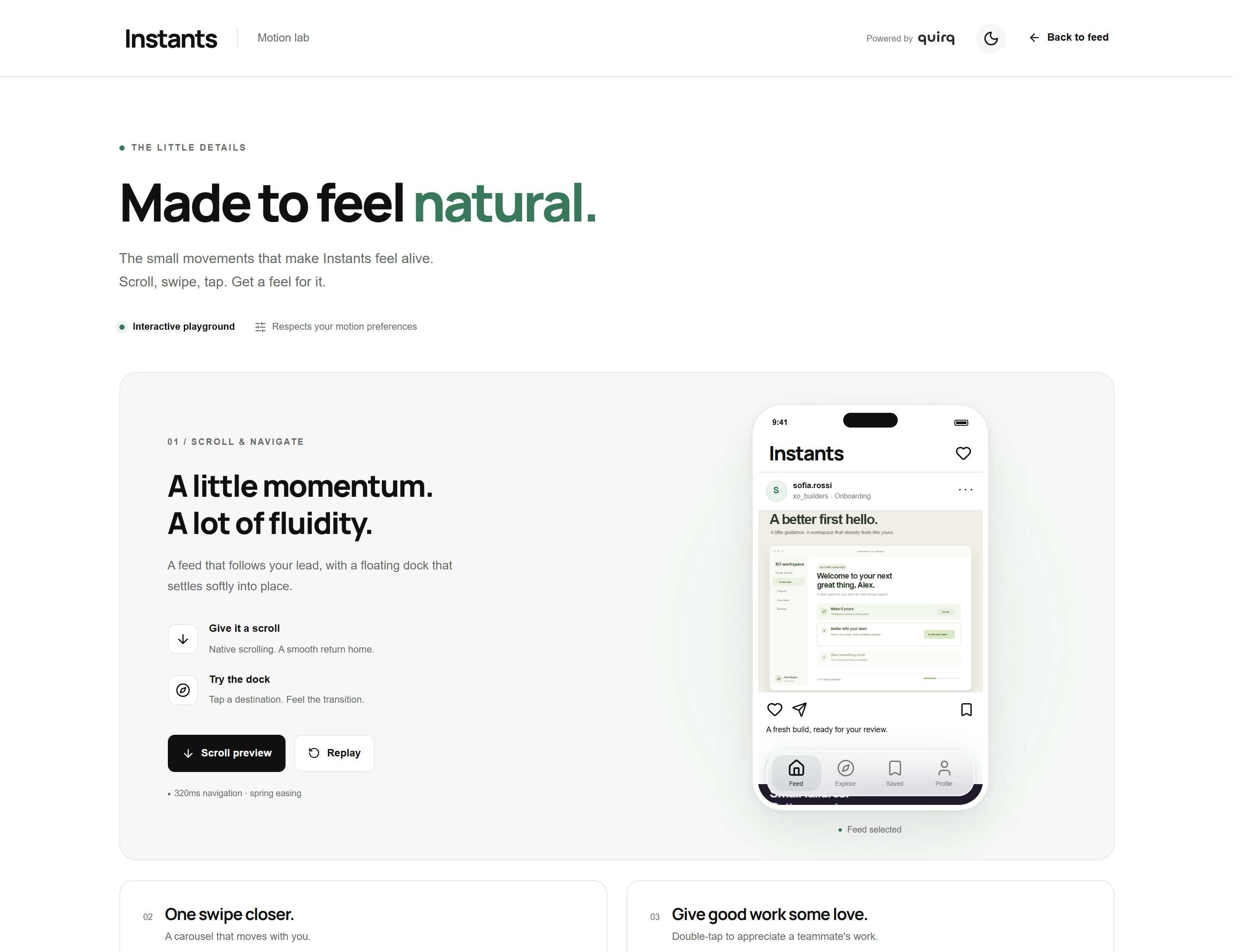
Watch the recorded motion demo (WebM).
Make it yours
| File | Customize |
|---|---|
| config/brand.json | Name, logo, fonts, colors, light/dark tokens, radius, and mobile dock |
| config/motion.json | Durations, easing, and gesture thresholds |
| data/mock.json | First-run demo seed and isolated motion-lab fixtures; existing logs stay independent |
| app/globals.css | Layout and component styles |
Put local assets in public/ and reference them with a leading /. Set fontStylesheet to an empty string to use local/system fonts. A saved theme overrides defaultTheme; clear the ig-ui-theme localStorage entry to test a new default. Production changes require a rebuild.
Each post can include an instant with a kind (invite or poll), title, expiresInMinutes, and response options containing id, label, and count. Local/demo countdowns retain their creation anchor across refresh. Imported source history is read-only and does not invent a fresh response deadline.
Architecture
The UI reads a shared data provider; the engine validates and replays the two logs. Product components do not read provider files or depend on global fixture identities. The first-run example feed is converted into normal timeline records once, then subsequent visits load the stored timeline.
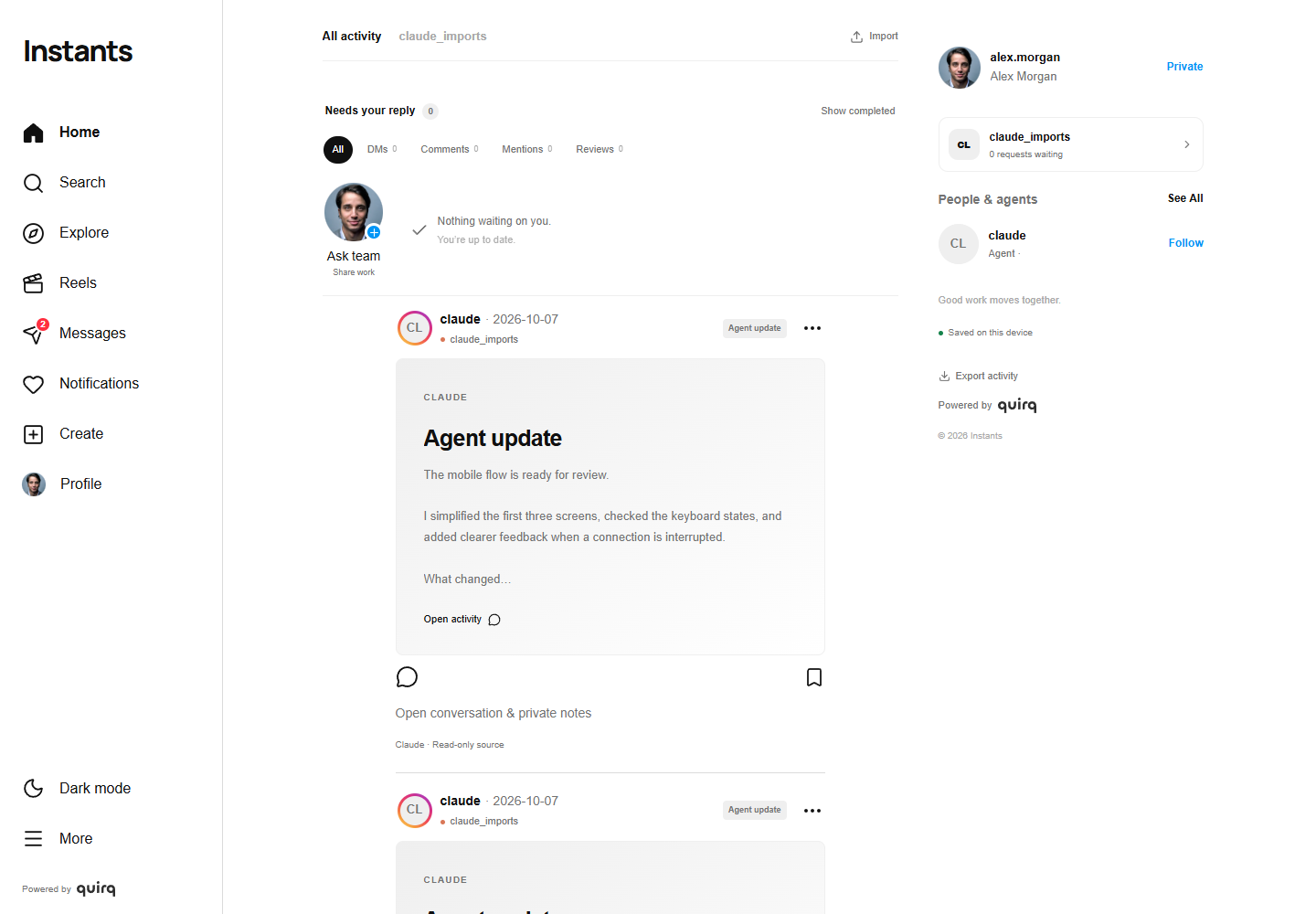
The imported-agent feed above uses fictional conversation data. Native source history stays read-only; bookmarks and notes belong to your private activity log.
flowchart LR imports["Selected timeline, Codex or Claude JSONL"] --> timeline["timeline.jsonl"] timeline --> replay["Replay records and private progress"] activity["activity.jsonl"] --> replay replay --> ui["Feed, conversations, attention and detail"] ui -->|"Read, save, private note"| activity ui -->|"Create local post"| timelineAn attention request has a private viewing lifecycle. A local/demo reply can resolve its local request; an imported request is dismissed only for the current viewer.
stateDiagram-v2 [*] --> pending pending --> reviewing: Open request reviewing --> pending: Close without action reviewing --> dismissed: Dismiss for me reviewing --> resolved: Reply to local request dismissed --> pending: Reopen resolved --> [*]Two-file storage
Local Node runs store .instants/<profile-UUID>/timeline.jsonl and .instants/<profile-UUID>/activity.jsonl. An HttpOnly cookie selects the private profile. There is no persistent index, snapshot, or separate outbox. Vercel uses the same JSONL representation in two browser keys: instants-timeline-v1 and instants-activity-v1.
Each line is { v, id, at, type, targetId, data }. A timeline upsert uses data: { kind, value }; repeated targets update an existing record. A private save uses post.save. See the engine guide for valid examples and storage limits.
Use Import above the feed, or More → Import timeline, to select a format and file or paste JSONL. The import dialog also provides Export timeline and Export activity on desktop and mobile. Native imports show read-only source labels and private-note controls.
The UI reports Saved locally or Saved on this device only after persistence. Failed file saves offer retry and export; unacknowledged changes remain in memory, so keep the tab open or export before leaving. Old session/<UUID>/session.json files are preserved but are no longer the active store; automatic migration is not implemented.
Privacy and project scope
Private means a separate browser session, not an authenticated person. A local server owner can read the plain JSON files; browser storage is scoped to the current browser profile and origin. Another person using the same browser profile can access the same private profile. There is no cross-device or shared team persistence.
Selected conversations, notes, and uploaded images can become part of the two logs. In local file mode they are sent to your local server; on Vercel they remain in browser storage. Runtime logs and exports are unencrypted and should not be committed. Clearing site data can remove hosted data; preserve the originals and export important work.
Remote photos and the configured Google Fonts stylesheet make requests to their respective providers; replace them with local assets for a self-contained demo. No integration sends demo replies to external accounts.
This project is independent of Instagram and Meta. It does not reproduce or claim access to their proprietary motion implementations.
Contributing and license
Small, focused improvements are welcome. Read CONTRIBUTING.md for setup, checks, and review expectations, and SECURITY.md for reporting vulnerabilities privately.
Original project code is available under the MIT license. Dependencies and vendored code retain their licenses. The Instants and Quirq names and logo assets, remote photography, and externally served fonts are not relicensed by this repository's MIT license. See THIRD_PARTY_NOTICES.md before reusing those assets.